
How to delete your account
Last updated: July 2, 2026
At Connectus you can request the deletion of your account and all your data at any time. This guide shows you how to do it.
Steps to delete your account
Log in
Sign in to your account at plataforma.connectus.la with your username and password.
Open Settings → Delete my account
In the side menu, expand the Configuraciones (Settings) section and click Eliminar mi cuenta (Delete my account).
Confirm the request
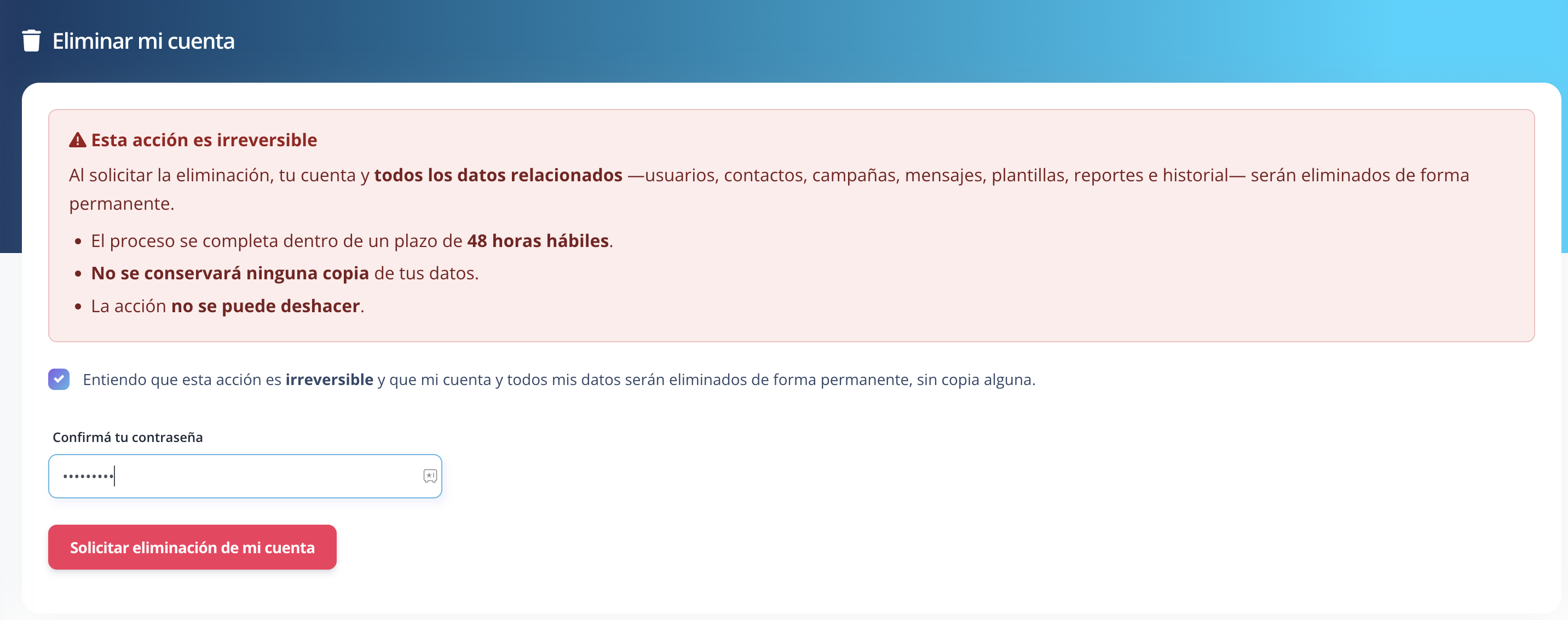
Read the warning, check the confirmation box, enter your password and click Solicitar eliminación de mi cuenta (Request account deletion).
Done
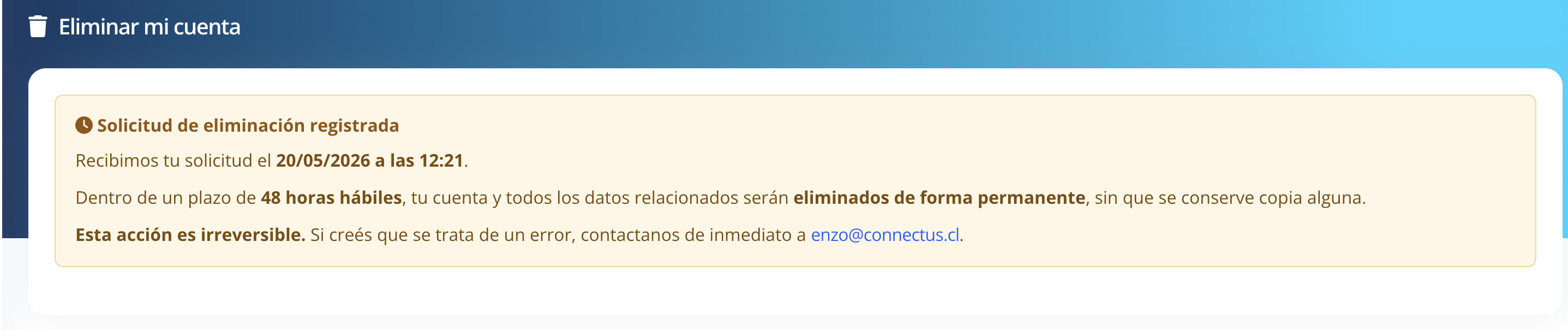
You will see the confirmation that your request has been registered.
What happens to your data
- Within 48 business hours, your account and all related data — users, contacts, campaigns, messages, templates, reports and history — are permanently deleted.
- If your account has connected channels (for example, Meta's WhatsApp Business Platform), the connections are taken down and the associated access credentials (tokens) are revoked and deleted.
- No copy of your information is retained in Connectus's systems.
- Deletion is final and irreversible: once completed, the account and data cannot be recovered.
If you do not have an account or cannot log in
Write to [email protected] from the email address associated with your data, stating that you want your information deleted. We will process your request within 48 business hours.
Contact
For any question about data deletion, write to [email protected]. See also our Privacy Policy.